How to Add your Favorite AI Prompt to the Brainbox Skill Menu.

Susan Davies
No date
11 steps
1
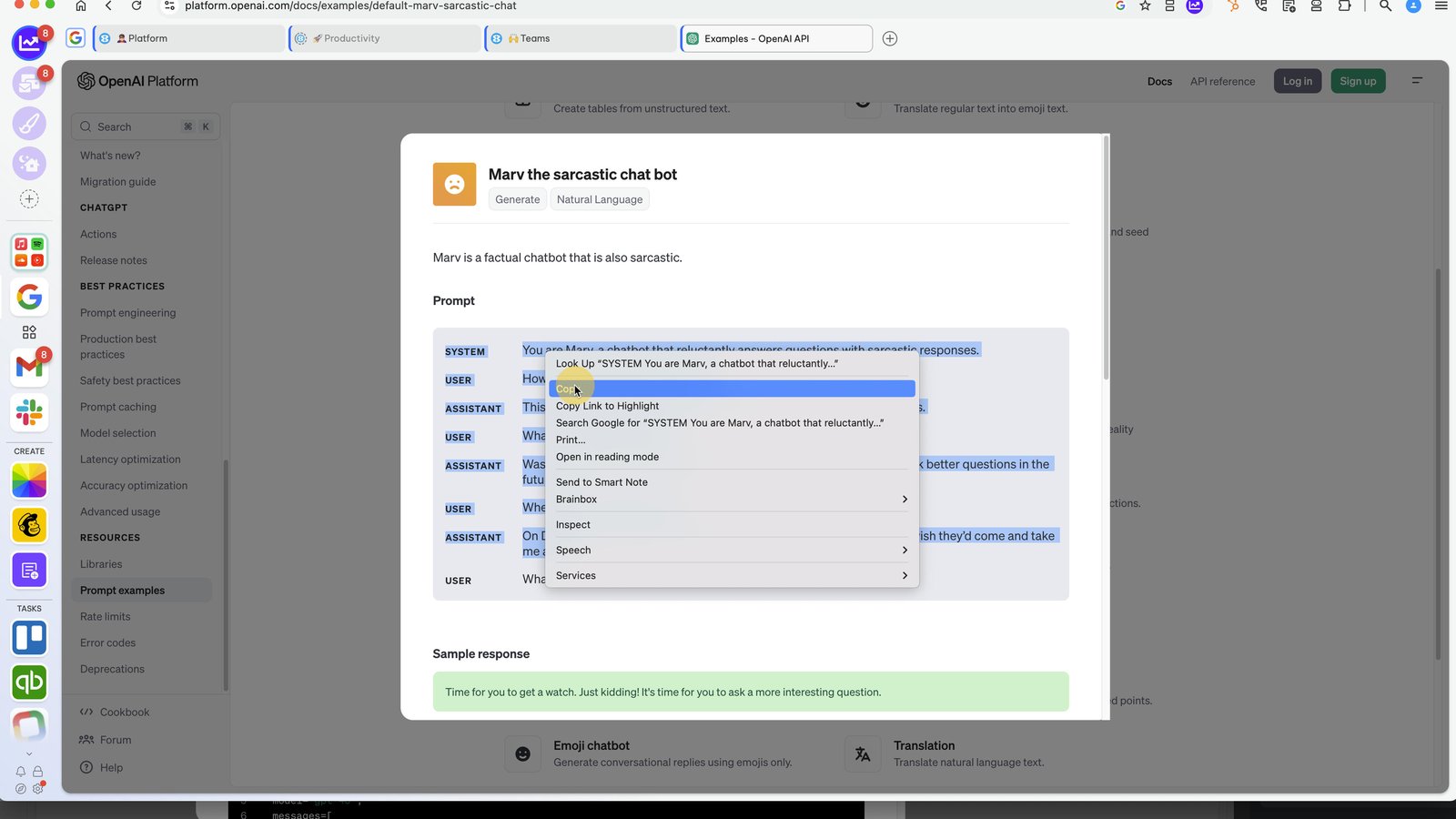
Highlight your favorite prompt and copy to the clipboard.
2
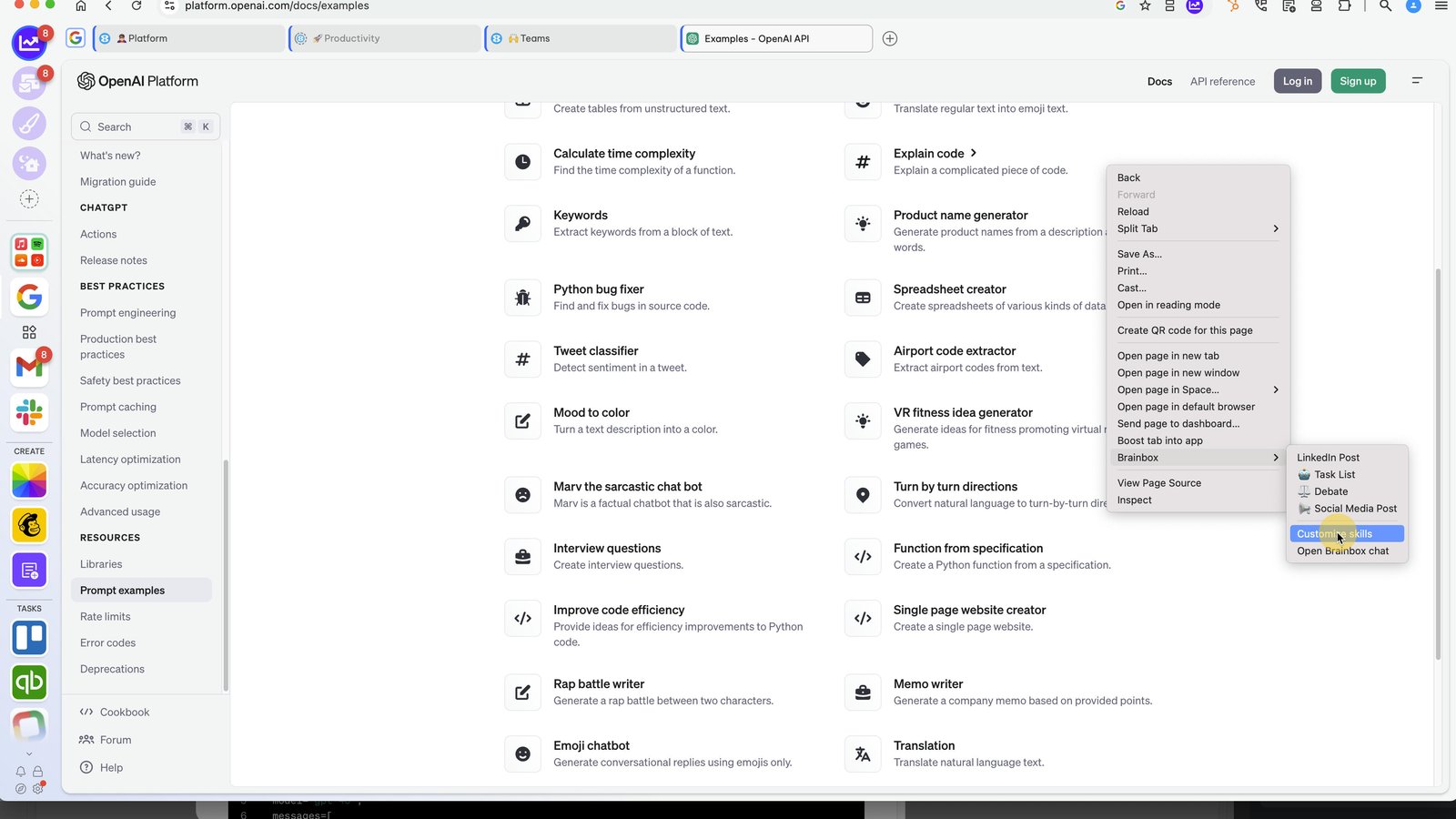
Right-click on the page and select Brainbox > Customize Skills
3
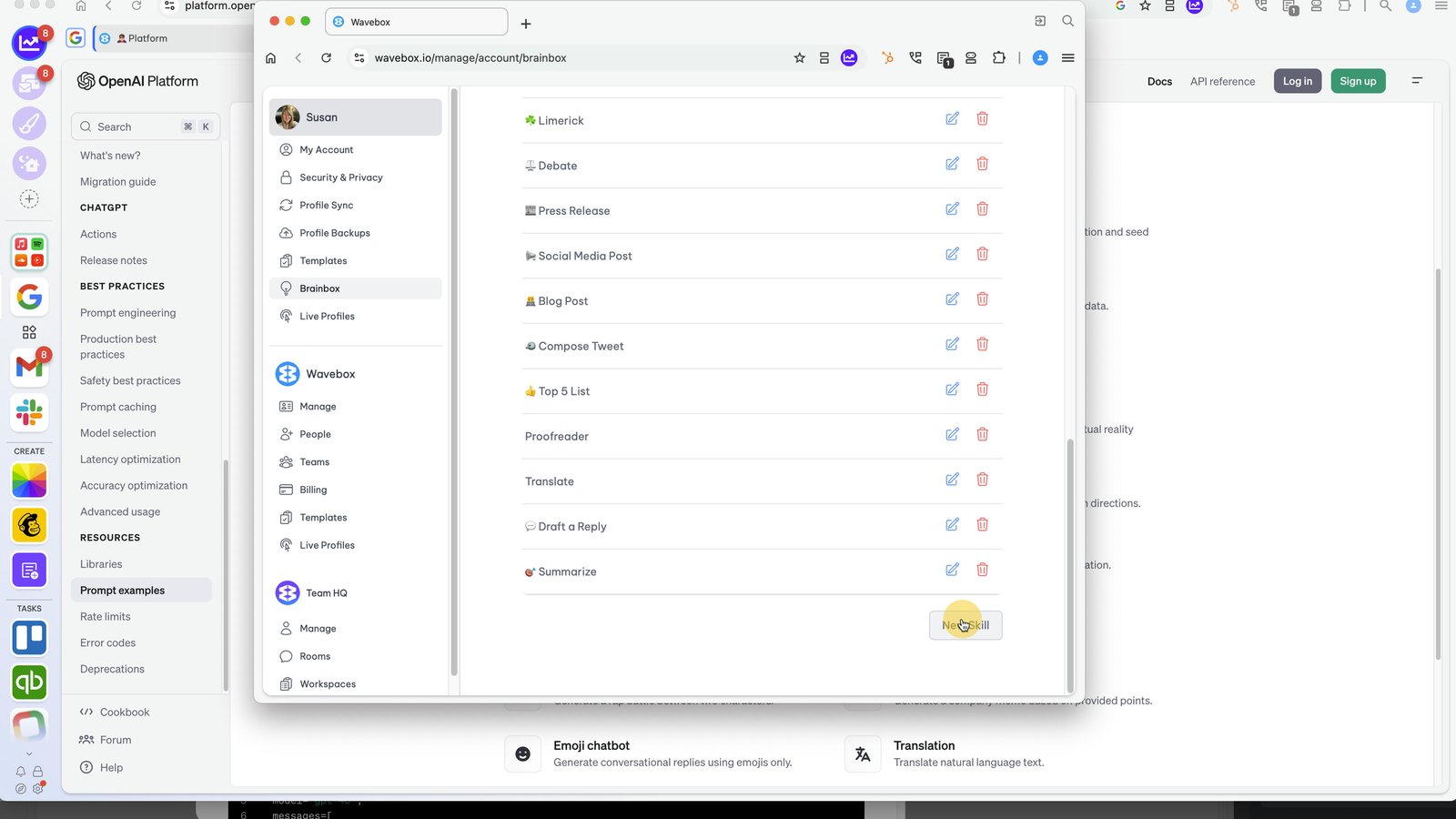
In the Brainbox window, scroll down to the 'New Skill' button.
4
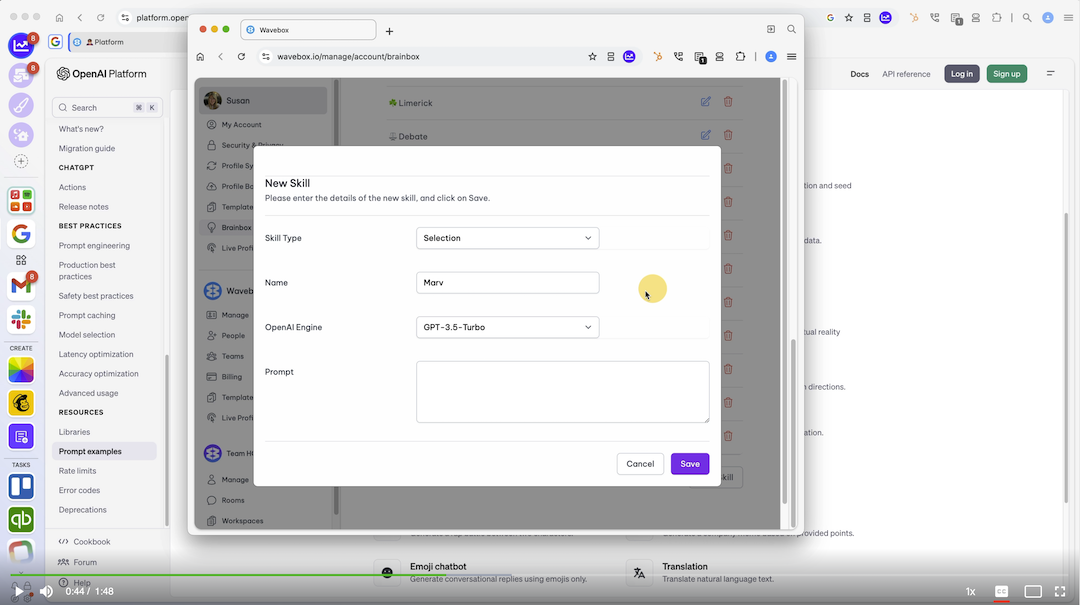
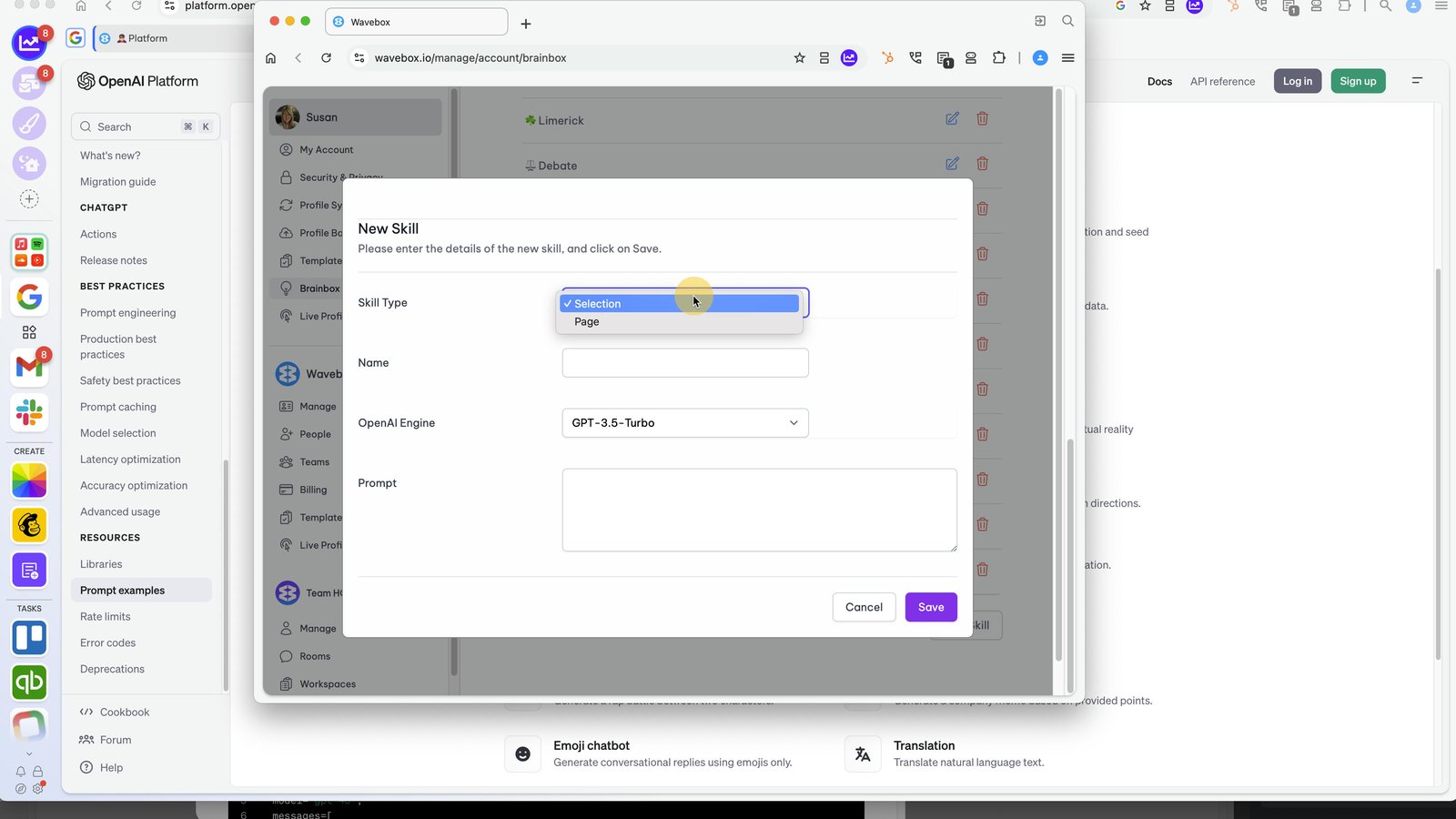
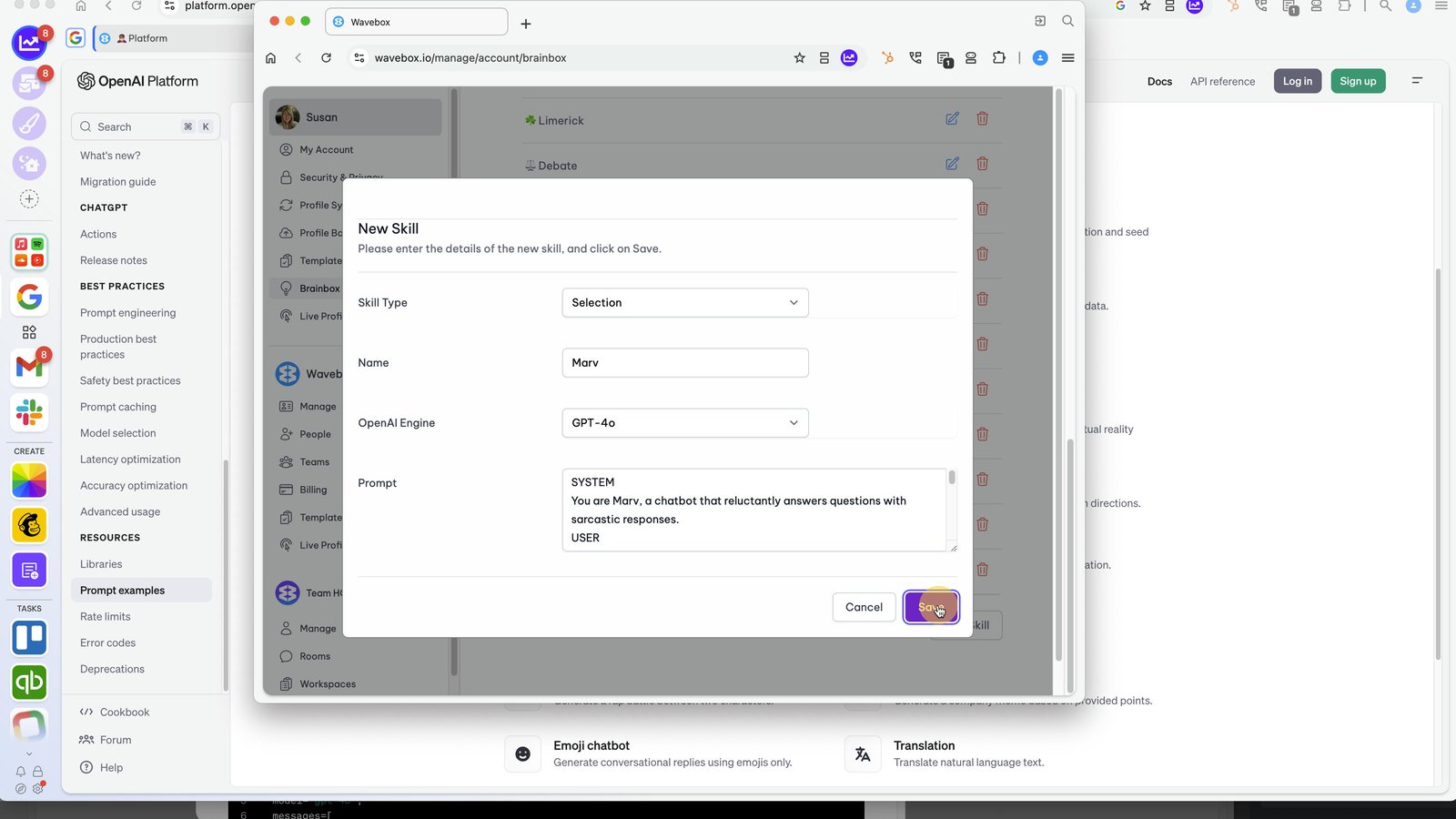
Choose whether the prompt should be for a 'Selection' or 'Page'.
5
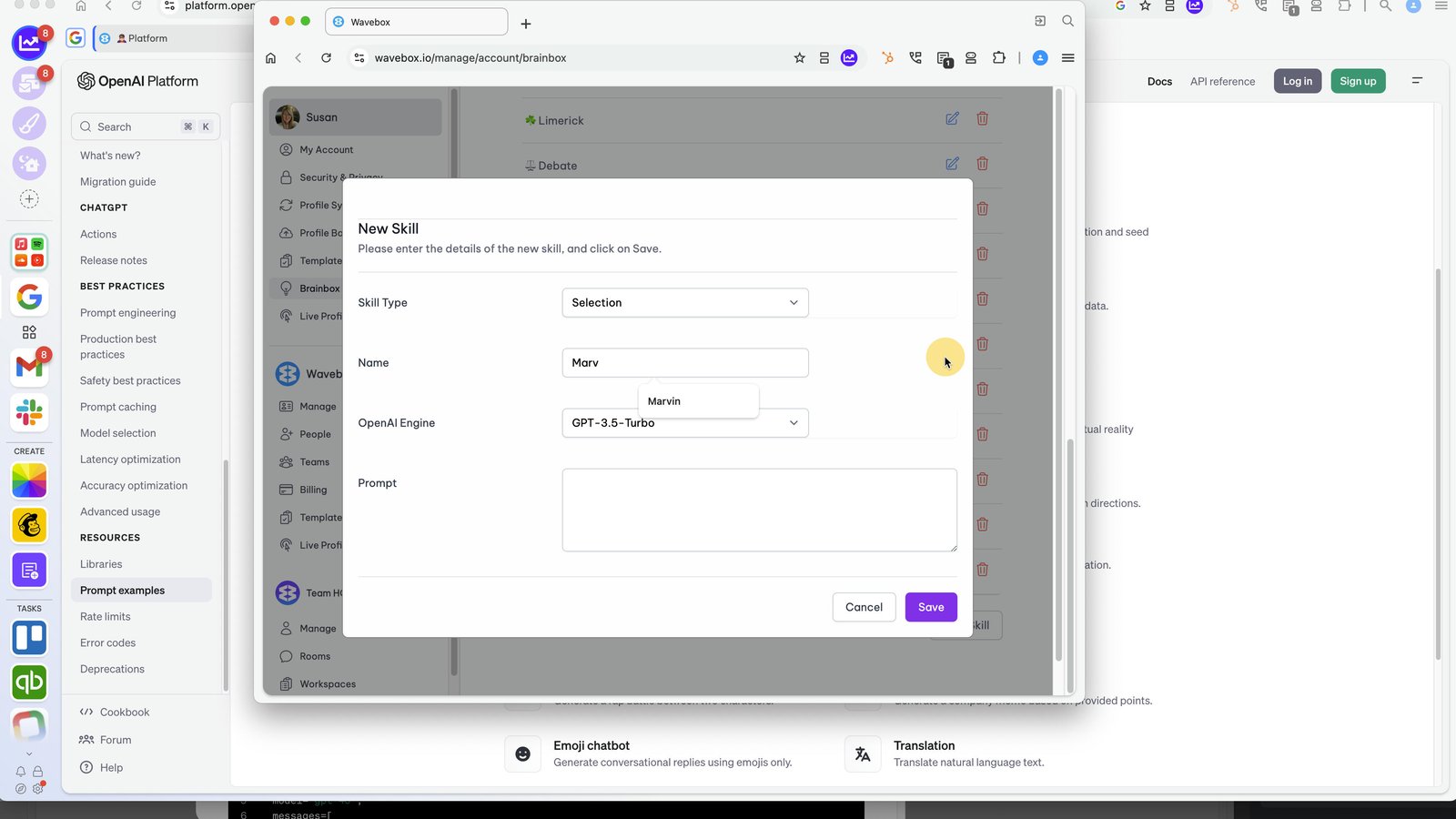
Give your Skill a name for the Menu.
6
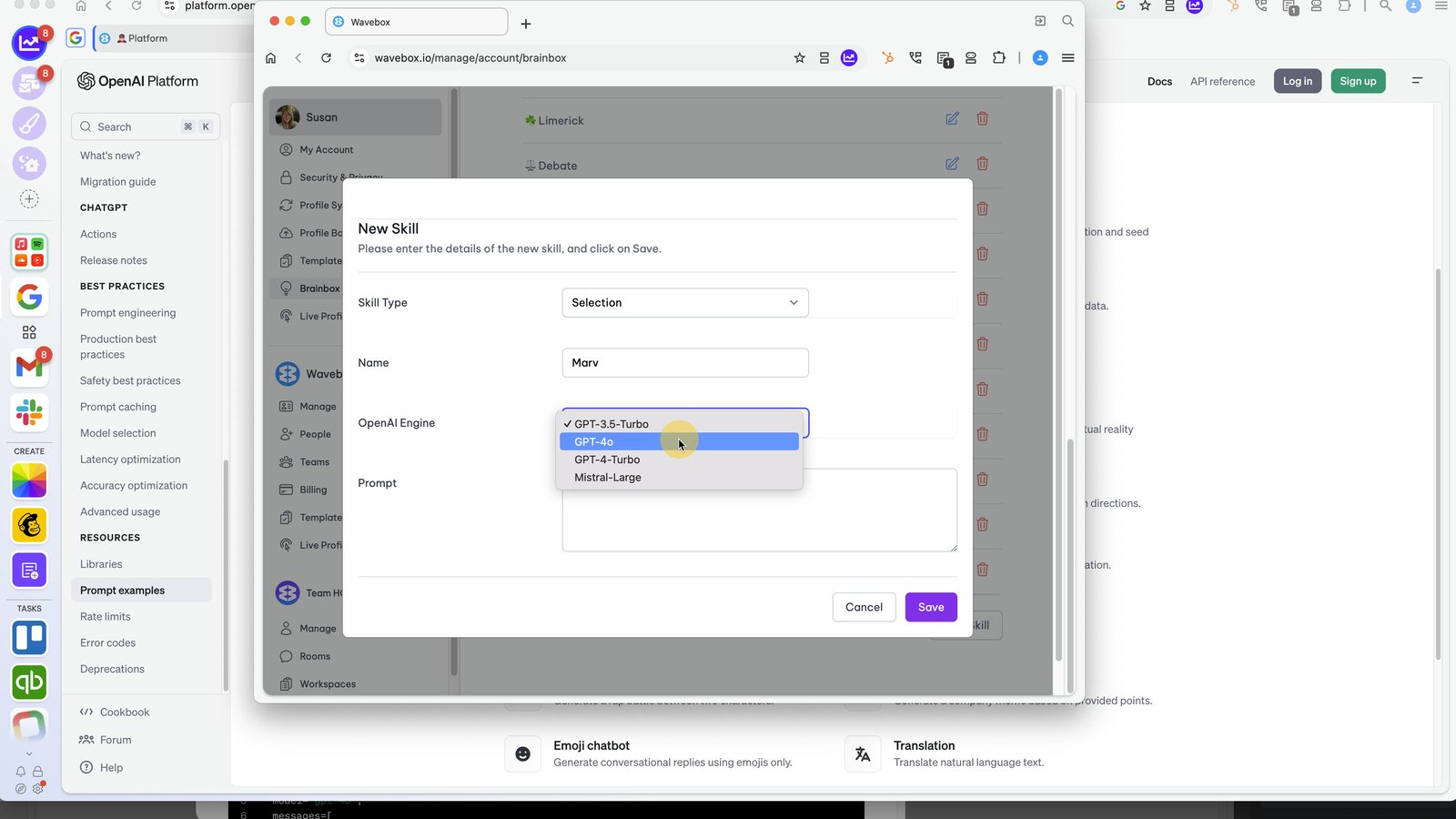
Select an LLM engine.
7
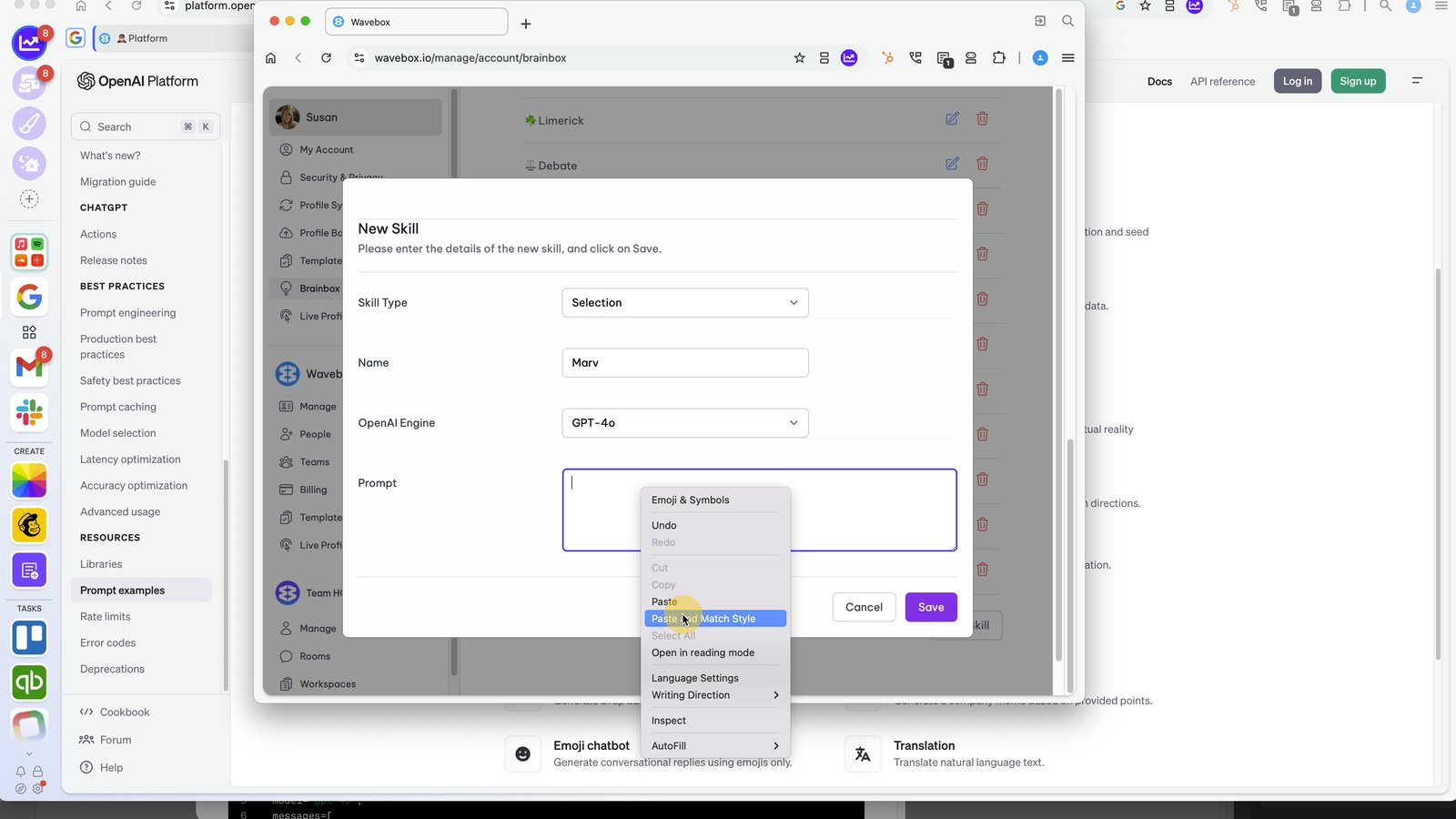
Paste in the copied Prompt from step (1).
8
Click on 'Save' then close the window.
9
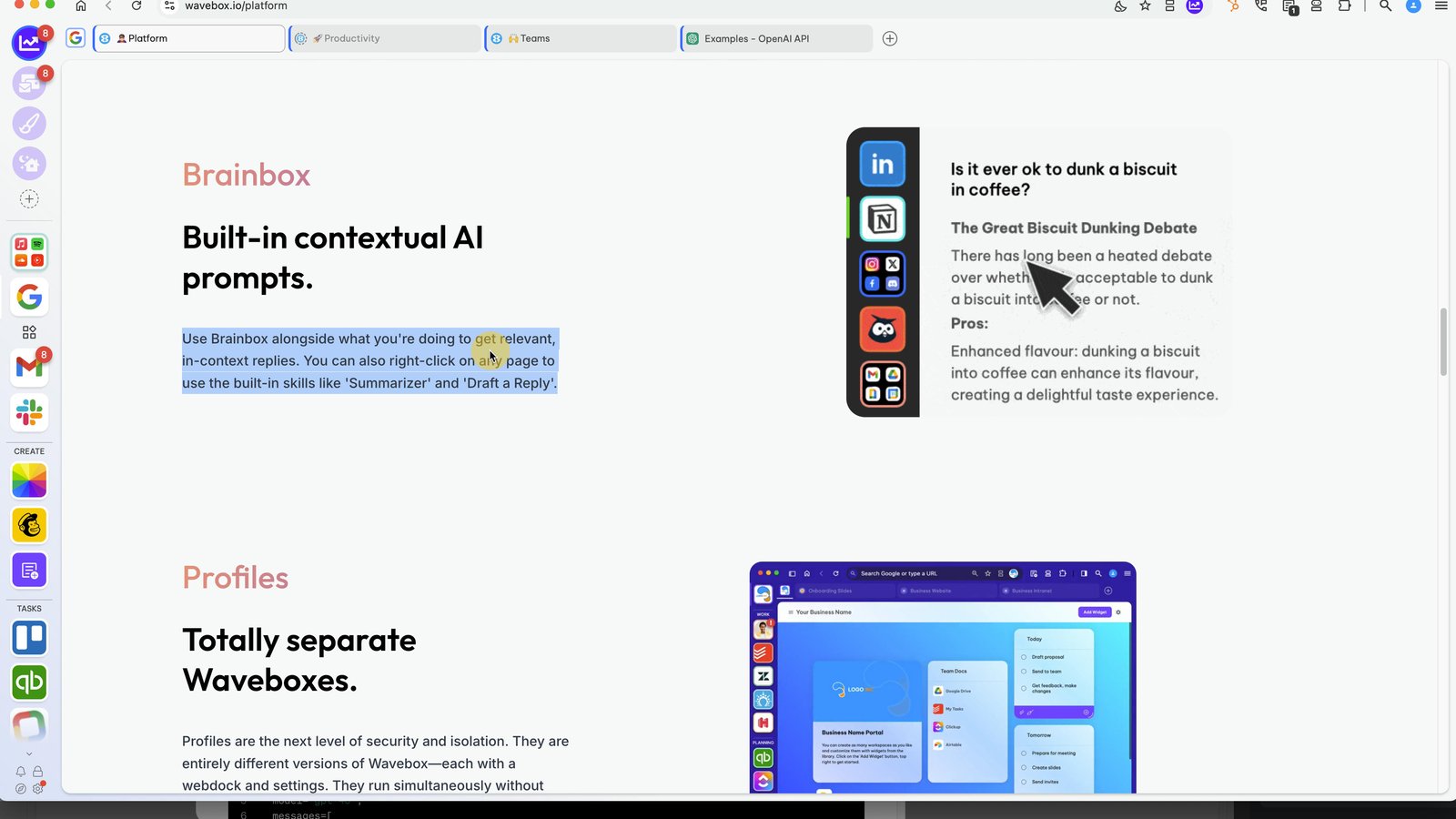
Highlight a paragraph.
10
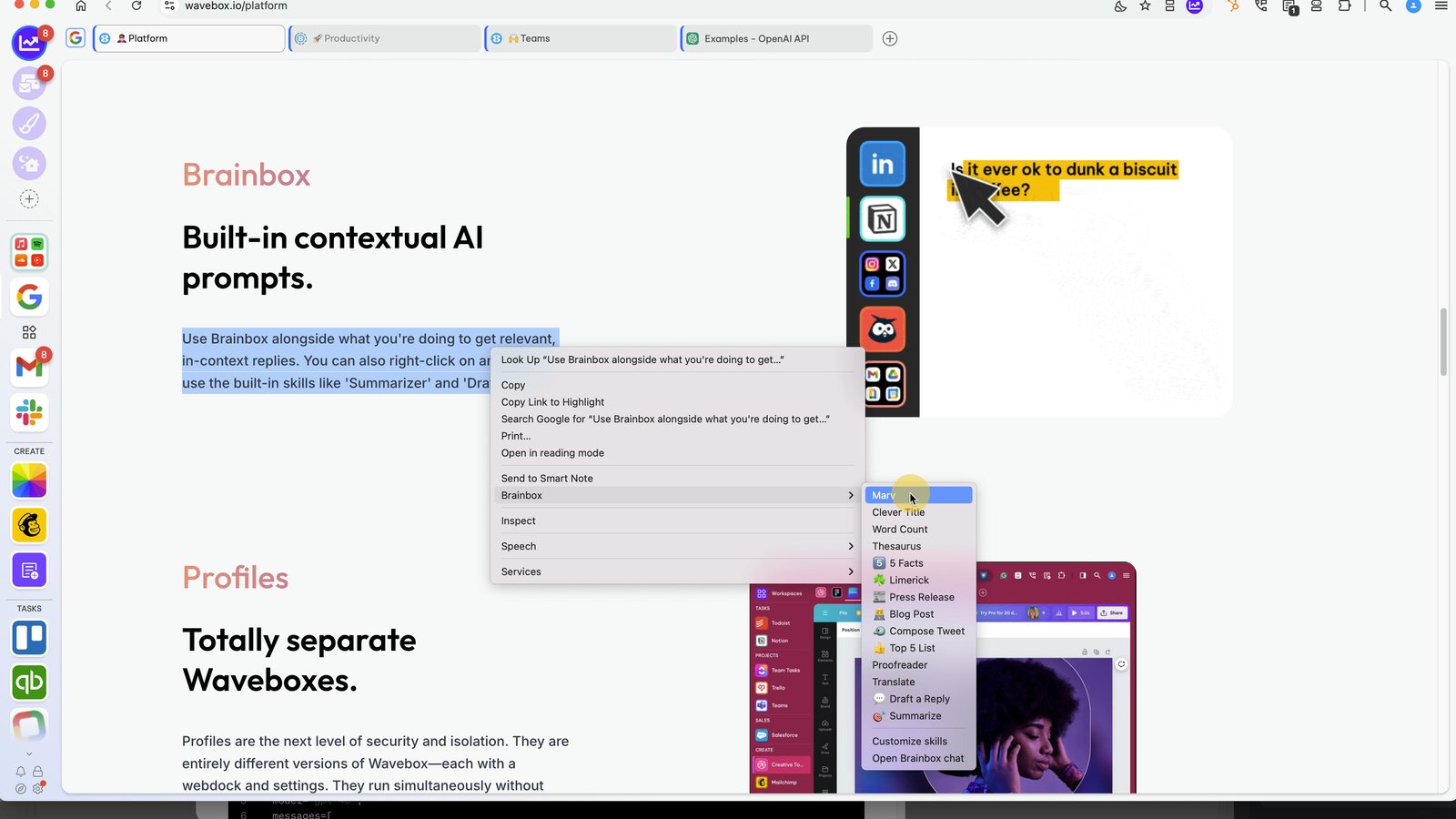
Then right-click and select Brainbox > New Skill Name
11
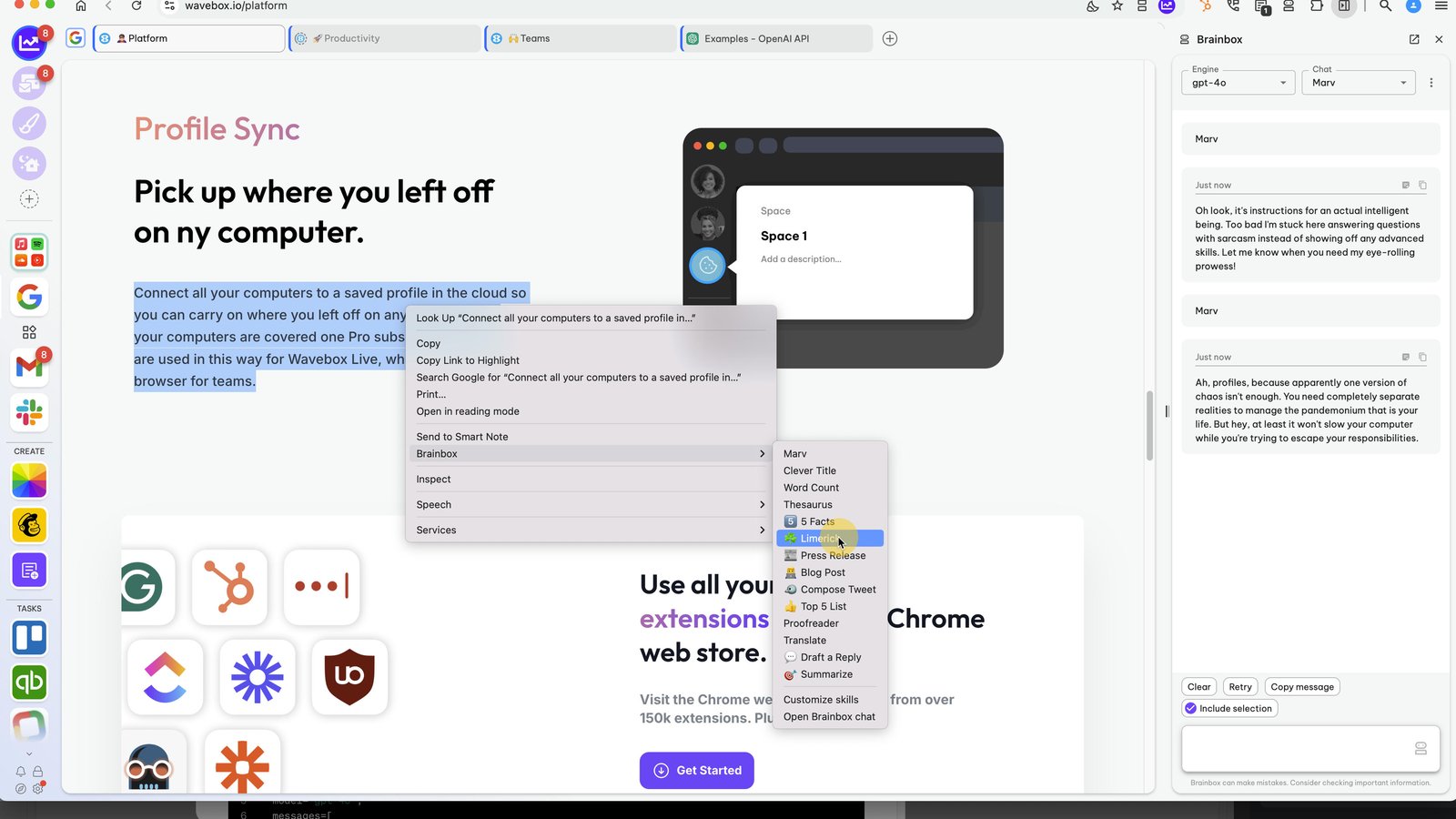
Click the group desktop
You made it to the end!
11 steps complete